Skip to content

Sewing a laptop case looks simple—until you actually try to protect a device that costs hundreds or even thousands of dollars.
A laptop is heavy, rigid, fragile, and sensitive to impact, which makes a poorly sewn case worse than no case at all. Loose seams, thin padding, or an improperly installed zipper can scratch the device, stress the corners, or cause the laptop to slide out unexpectedly.
This is why so many people search for “how to sew a laptop case with zipper” instead of just “DIY laptop sleeve.” A zipper adds security, but it also introduces technical challenges: alignment, bulk management, corner turning, and seam reinforcement.
To sew a laptop case with zipper, you need to accurately measure the laptop, choose padded materials, cut outer fabric, lining, and batting layers, then install a zipper between the outer shell and lining before assembling the case. Proper seam allowance, reinforced corners, and smooth zipper installation are essential for protection, durability, and a professional finish.
Whether you are sewing one case at home, developing a handmade product line, or evaluating how professional laptop cases are constructed in factories like Szoneier, understanding the correct sewing logic makes all the difference. Let’s start with the fundamentals.
What Is a Laptop Case and Why Sew One
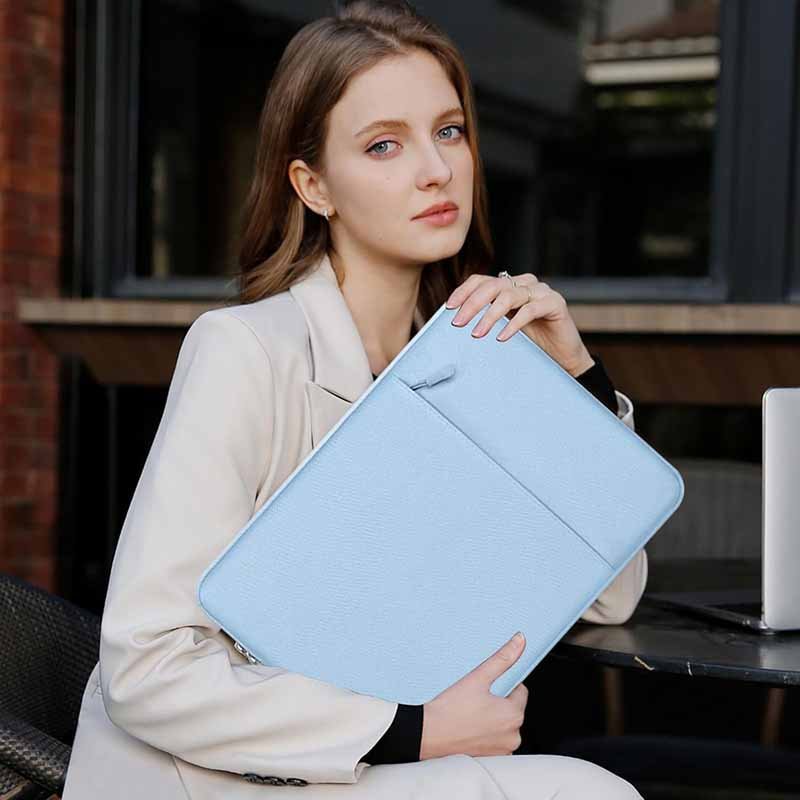
A laptop case is a padded protective cover designed to shield a laptop from scratches, impacts, dust, and minor drops during daily use and transport. Sewing a laptop case allows for a custom fit, better padding control, and stronger construction compared to many mass-produced options. A well-sewn case improves protection, usability, and durability while matching specific laptop sizes and user needs.
What exactly is a laptop case?
A laptop case is not just a fabric sleeve—it is a functional protective structure engineered to manage weight, impact, and movement.
A properly designed laptop case should:
- Secure the laptop tightly to prevent sliding
- Absorb shock from bumps and minor drops
- Protect corners and edges, which are the most vulnerable areas
- Prevent scratches on screens and aluminum shells
Professional laptop cases use layered construction, typically combining an outer shell, padding layer, and inner lining. This multi-layer approach is what separates a true laptop case from a simple pouch.
How is a laptop case different from a laptop sleeve or pouch?
These terms are often used interchangeably, but they are not the same.
- Laptop sleeve: usually a slim, minimal cover with limited padding
- Laptop pouch: often softer, decorative, and loosely fitted
- Laptop case: structured, padded, and designed for protection
When sewing, understanding this distinction matters. A laptop case requires reinforced seams, controlled openings, and padding, while a sleeve may not.
Why do many store-bought laptop cases fail in real use?
Many mass-market laptop cases prioritize appearance and cost over protection.
Common issues include:
- Thin or uneven padding
- Poor zipper alignment that scratches devices
- Loose fit that allows internal movement
- Weak stitching at stress points
These problems often appear after only a few weeks of use, especially for heavier laptops.
Why sew your own laptop case instead of buying one?
Sewing your own laptop case gives you full control over critical variables:
- Exact dimensions for your specific laptop model
- Padding thickness and material selection
- Zipper type, direction, and placement
- Fabric durability and aesthetic style
Instead of adapting your laptop to a generic case, you design the case around the laptop.
Is sewing a laptop case suitable for beginners?
Yes—with the right approach.
A basic laptop case is:
- Mostly straight seams
- Rectangular construction
- Highly repeatable
Adding a zipper increases difficulty slightly, but it is still manageable with proper steps and tools. This makes laptop cases a popular beginner-to-intermediate sewing project.
Are homemade laptop cases protective enough for daily use?
Yes—if constructed correctly.
Protection depends on:
- Padding density and coverage
- Fit accuracy
- Seam reinforcement
- Zipper quality
A well-sewn homemade laptop case can match or exceed the protection of many commercial products, especially low- to mid-range retail cases.
When does sewing a laptop case make the most sense?
Sewing a laptop case is especially valuable when:
- Your laptop has uncommon dimensions
- You want thicker or specialized padding
- You need a zipper instead of open-top design
- You plan to scale the design into a product line
Many professional brands start with handmade prototypes before moving to factory production.
Which Tools and Materials Do You Need
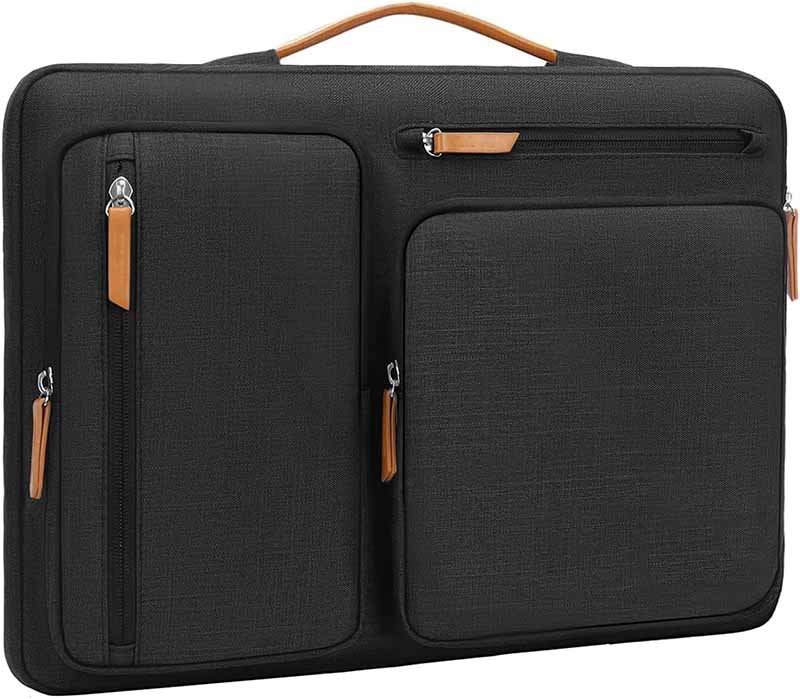
To sew a laptop case with zipper, you need a durable outer fabric, a soft lining fabric, a padding layer for shock absorption, a suitable zipper, and basic sewing tools such as a sewing machine, zipper foot, scissors, ruler, and pins or clips. Choosing the right materials directly affects protection, durability, and the final professional appearance of the laptop case.
What fabrics are best for sewing a laptop case?
The outer fabric is the first line of defense against abrasion and impact.
Best outer fabric choices include:
- Cotton canvas (heavyweight, easy to sew)
- Denim (durable and structured)
- Cordura-style nylon (high abrasion resistance)
- PU-coated or laminated fabrics (water resistance)
Avoid lightweight quilting cotton on its own—it lacks strength unless reinforced. For factory-made laptop cases, structured woven or coated fabrics are preferred because they maintain shape under load.
Which lining fabrics protect laptops from scratches?
The lining protects the laptop’s surface and screen.
Recommended lining fabrics:
- Soft cotton twill
- Microfiber or brushed polyester
- Fleece (thin, low-pile)
The lining should be smooth and lint-free. Rough or textured linings can cause micro-scratches over time, especially on aluminum laptop shells.
Which padding materials work best for laptop protection?
Padding is the most critical material choice.
Common padding options:
- Polyester batting: easy to sew, lightweight
- EVA foam (2–5 mm): excellent shock absorption
- Neoprene sheets: flexible and protective
Factories often combine foam with batting to balance structure and softness. Padding should cover all sides evenly, including corners.
What zipper types are best for laptop cases?
Zippers must be smooth, durable, and device-safe.
Best zipper options:
- Nylon coil zippers: flexible, smooth, scratch-safe
- Reverse coil zippers: clean look, protected teeth
Avoid cheap metal zippers, which can scratch laptops and stress seams. Zipper length should match the opening width precisely to avoid puckering.
What basic tools are required to sew a laptop case with zipper?
Essential tools include:
- Sewing machine (medium to heavy-duty recommended)
- Zipper foot (critical for clean zipper installation)
- Fabric scissors or rotary cutter
- Ruler or measuring tape
- Pins or sewing clips
A zipper foot is not optional—it allows stitching close to zipper teeth without distortion.
Do you need special needles and thread?
Yes—needle and thread choice matters.
Recommended:
- Universal or denim needles (size 90/14)
- Polyester thread (stronger than cotton thread)
Thicker materials require stronger needles to prevent skipped stitches and broken threads.
What optional tools improve professional results?
Optional but helpful tools:
- Walking foot (for thick layers)
- Iron or pressing tool (for flat seams)
- Clips instead of pins (for foam layers)
Factories rely heavily on pressing and controlled feeding to achieve clean, even seams.
How do material choices differ between DIY and factory production?
DIY projects favor:
- Easy-to-sew materials
- Readily available fabrics
Factory production emphasizes:
- Consistent material thickness
- Tested abrasion resistance
- Long-term durability
Understanding this difference helps DIY makers design cases that can later be scaled for OEM production.
How to Prepare and Measure for Sewing

To prepare and measure for sewing a laptop case, you must measure the laptop’s width, height, and thickness, then add space for padding, seam allowance, and zipper clearance. Accurate preparation ensures a snug fit without stressing seams or zippers. Proper measuring is the most important step in achieving a professional, protective laptop case.
How do you measure a laptop correctly for a custom case?
Start by measuring the closed laptop, not the screen alone.
You need three measurements:
- Width – left to right
- Height – top to bottom
- Thickness – front to back when closed
Use a rigid ruler or tape measure and record the maximum dimensions, including rounded corners. Even a few millimeters matter when adding a zipper.
Why is laptop thickness the most commonly overlooked measurement?
Many beginners measure only width and height.
However, thickness determines whether the zipper will close smoothly.
Problems caused by ignoring thickness:
- Zipper strain
- Bulging edges
- Deformed seams
Always measure thickness at the thickest point, especially for gaming laptops or models with rear ventilation.
How much extra space should you add for padding?
Padding increases bulk and must be calculated in advance.
General guideline:
- Padding thickness × 2 (front + back)
- Add this value to both width and height
Example:
- Laptop thickness: 18 mm
- Padding: 3 mm front + 3 mm back
- Total added space: 6 mm + ease allowance
Factories always calculate padding clearance before pattern cutting.
How much seam allowance is needed for a padded laptop case?
Recommended seam allowance:
- 1–1.5 cm (⅜–⅝ inch)
Why this matters:
- Thicker seams need more room
- Zipper installation requires fabric stability
- Too small seam allowance leads to fraying and weak seams
Consistent seam allowance is a hallmark of professional sewing.
Do you need extra allowance for a zipper?
Yes—zippers require functional clearance.
Add extra space for:
- Zipper tape width
- Turning the case right-side-out
- Smooth opening and closing
A case that fits perfectly without a zipper will often feel too tight with a zipper installed.
How do you calculate the final cutting dimensions?
Use this formula:
- *Laptop size
- (padding × 2)
- seam allowance × 2
- zipper ease**
This ensures:
- Easy insertion and removal
- No zipper stress
- Clean edges
Factories rely on similar formulas when developing sample patterns.
Should you test measurements before sewing the final case?
Absolutely.
Best practice:
- Create a paper or fabric mock-up
- Wrap it around the laptop
- Simulate zipper closure
This quick test can prevent costly mistakes and wasted materials.
How does preparation differ between DIY and factory production?
DIY preparation focuses on:
- One perfect fit
- Manual adjustment
Factory preparation emphasizes:
- Size tolerance control
- Repeatability
- Consistency across batches
Understanding both helps DIY designs scale into OEM production.
How to Sew a Laptop Case Step-by-Step
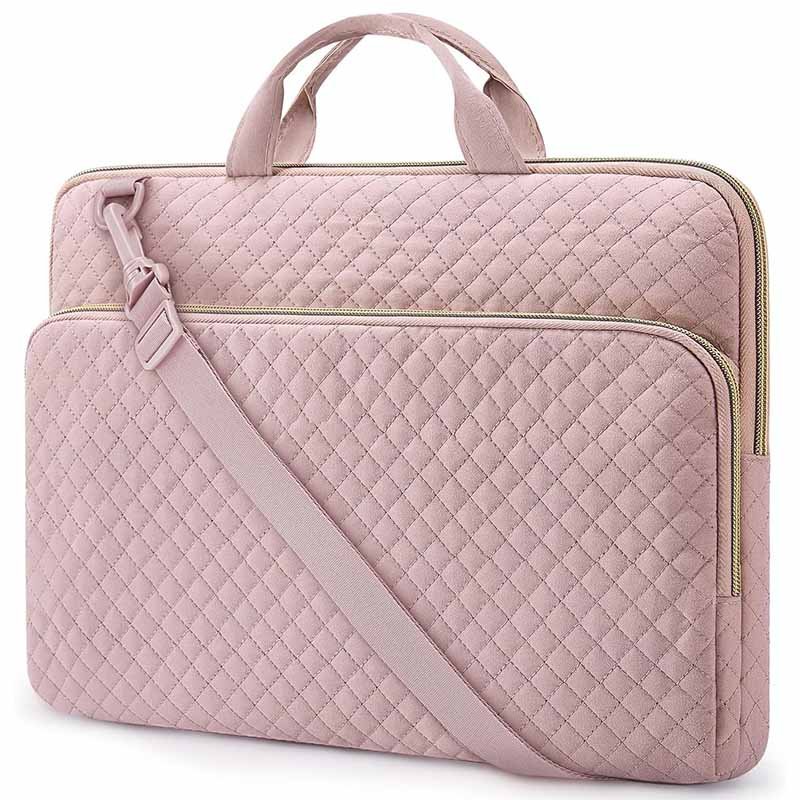
To sew a laptop case step by step, first cut outer fabric, lining, and padding to size. Attach the zipper between the outer fabric and lining, then sew the outer shell and lining together with padding inside. Reinforce corners and zipper ends, turn the case right side out, and topstitch for durability. Accurate measuring, even stitching, and proper zipper installation are key to a professional result.
Step 1: How do you cut fabric, lining, and padding correctly?
Accurate cutting is the foundation of a well-fitting laptop case.
You typically need:
- Outer fabric: 2 identical pieces
- Lining fabric: 2 identical pieces
- Padding (foam or batting): 1–2 layers
Best practices:
- Cut padding slightly smaller (5–8 mm) than fabric pieces to reduce seam bulk
- Keep all pieces square and symmetrical
- Clearly mark the top edge where the zipper will be installed
In factory production, cutting errors are the cause of zipper distortion and size mismatch.
Step 2: How do you assemble layers before sewing?
Layering order matters.
Correct stacking (bottom to top):
- Outer fabric (right side up)
- Padding layer
- Lining fabric (right side down)
Clip or pin carefully—avoid stretching any layer. Uneven layers lead to puckering later, especially near the zipper.
Step 3: How do you sew a laptop case with zipper properly?
This is the most technically sensitive step.
Zipper installation logic (sandwich method):
- Place zipper face down along the top edge of the outer fabric
- Place lining fabric face down on top of the zipper
- Sew along zipper tape using a zipper foot
- Repeat for the opposite side of the zipper
- Press seams away from the zipper
Key tips:
- Zipper teeth must face inward
- Stitch slowly near zipper ends
- Keep seam allowance consistent
A clean zipper install ensures smooth opening and long-term durability.
Step 4: How do you sew the case body together?
After zipper installation:
- Open the zipper halfway (critical)
- Match outer fabric pieces right sides together
- Match lining pieces right sides together
- Sew around the entire perimeter
Leave a 6–8 cm turning gap in the lining section. This gap allows the case to be turned right side out without damaging seams.
Step 5: How do you reinforce corners and stress points?
Laptop weight concentrates stress at specific locations.
Reinforce:
- Bottom corners
- Zipper ends
- Side seams
Reinforcement techniques:
- Backstitch at start and end points
- Short bar-tack stitches at zipper ends
- Double stitching at bottom seams
Professional factories always reinforce these zones to prevent seam failure.
Step 6: How do you turn, shape, and finish the laptop case?
Once sewn:
- Turn the case right side out through the lining gap
- Push corners out gently (use a blunt tool)
- Hand-stitch or machine-stitch the lining gap closed
- Topstitch along the zipper edge for stability
Topstitching improves:
- Zipper smoothness
- Edge definition
- Overall professional appearance
Step 7: How do you test the finished laptop case?
Before regular use:
- Insert the laptop slowly
- Zip and unzip multiple times
- Gently shake to check internal movement
- Inspect seams for tension
If the zipper feels tight or seams pull, the case is undersized—this is exactly what factories check before approving samples.
Step 8: How do DIY steps differ from factory sewing?
DIY sewing focuses on:
- One perfect fit
- Manual adjustments
Factory sewing emphasizes:
- Size tolerance
- Repeatability
- Reinforced production seams
Understanding this difference helps DIY designs transition into OEM manufacturing later.
Which Design Features Enhance Protection

Protective laptop cases rely on padded construction, reinforced corners, controlled zipper placement, snug fit, and durable materials to absorb impact and prevent movement. Features such as foam padding, corner reinforcement, smooth zippers, and stable seam structure significantly reduce the risk of scratches, drops, and internal damage during daily transport.
Why is padding thickness and distribution critical?
Padding is the primary shock-absorption system in a laptop case.
Effective padding design requires:
- Even coverage on front, back, sides, and bottom
- Consistent thickness (no thin spots)
- Padding that compresses and rebounds, not collapses
Key insight:
Uneven padding protects the laptop only on paper, not in real-world drops.
Factories typically use 2–5 mm EVA foam or neoprene combined with soft batting to balance protection and flexibility.
How do reinforced corners improve laptop safety?
Laptop corners are the most impact-prone zones.
Corner reinforcement techniques include:
- Extra foam inserts at corners
- Folded padding layers (double thickness)
- Rounded internal corner seams to distribute force
Without reinforcement, even thick padding elsewhere cannot prevent corner damage. This is why premium laptop cases always focus on corners first.
How does a snug fit reduce internal damage?
A protective case must hold the laptop firmly, not loosely.
Problems with loose fit:
- Laptop slides inside the case
- Impact force increases due to movement
- Zipper and seams take extra stress
A snug (but not tight) fit minimizes internal momentum during drops, dramatically reducing damage risk.
Why does zipper placement matter for protection?
Zipper design directly affects safety.
Best protective practices:
- Zipper opening on the long side, not the short side
- Zipper ends stopping before corners
- Soft zipper tape facing the laptop interior
Avoid wrap-around zippers without reinforcement—they expose edges and weaken corner protection.
How do seam structure and stitching affect durability?
Seams hold the entire structure together.
Protective seam features:
- Straight, evenly spaced stitches
- Reinforced backstitching at stress points
- Seam allowance wide enough to resist tearing
Factories often double-stitch bottom seams because gravity concentrates laptop weight there.
Why does fabric choice affect impact resistance?
Outer fabric works with padding as a load-spreading layer.
Protective outer fabrics:
- Heavy cotton canvas
- Nylon or Cordura-style fabrics
- Laminated or PU-coated materials
Thin fabrics transmit impact directly to padding, reducing overall effectiveness.
Do internal linings contribute to protection?
Yes—indirectly but importantly.
Good linings:
- Reduce surface scratches
- Prevent micro-abrasion
- Help padding stay evenly positioned
Soft microfiber or brushed polyester linings are commonly used in high-quality cases.
How do professional manufacturers design for drop protection?
Factories like Szoneier design laptop cases using a system approach:
- Padding + fit + seam + zipper as one unit
- Reinforced stress zones identified through testing
- Tolerance control to ensure consistency
This is why factory-made protective cases outperform casual DIY designs, even when materials look similar.
What Are Common Mistakes and How to Avoid Them
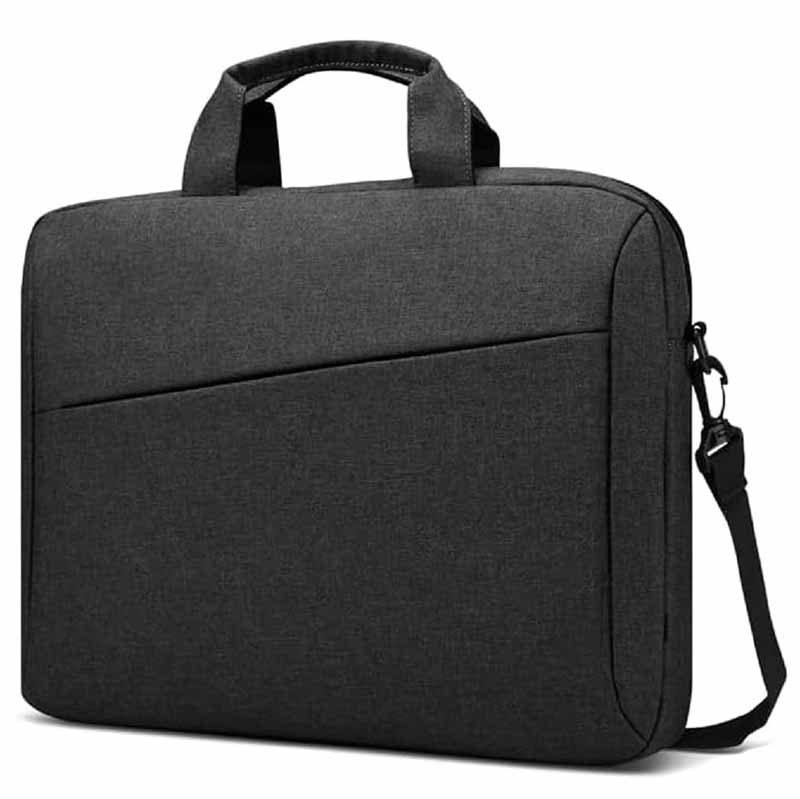
Common mistakes when sewing a laptop case include inaccurate measurements, poorly installed zippers, weak padding, and incorrect seam allowances. These mistakes can lead to fit issues, zipper failure, and inadequate protection. Careful measuring, correct padding choices, and precise sewing techniques ensure a durable, protective, and well-fitted laptop case.
What are common measuring mistakes that affect laptop case fit?
Accurate measurements are crucial for a snug fit and smooth zipper operation. Common measuring errors include:
- Misjudging thickness: This results in tight-fitting or oversized cases.
- Inconsistent seam allowances: Too little seam allowance can distort the case.
- Incorrect padding allowance: Not accounting for padding can lead to bulging or loose corners.
How to Avoid:
- Double-check dimensions before cutting fabric
- Add padding allowance and zipper clearance to each dimension
- Use templates or patterns for consistency
What mistakes should you avoid when installing a zipper?
A zipper adds functionality, but it also introduces complexity. Common zipper errors include:
- Sewing the zipper too close to the edge: This compromises strength and can cause zipper failure.
- Skipping the zipper foot: This leads to uneven stitching near the zipper teeth.
- Misaligning the zipper: This causes snagging or hard-to-close zippers.
How to Avoid:
- Use a zipper foot for better control and even stitching.
- Align zipper ends carefully and use backstitching for reinforcement.
- Always test the zipper before final assembly to ensure smooth operation.
How do poor padding choices affect the protection level?
Padding is critical for protecting your laptop. Poor choices can compromise the case’s protective capacity.
Common padding mistakes:
- Choosing thin or low-density foam: Offers minimal protection against drops.
- Lack of corner reinforcement: Results in vulnerable corners that take the brunt of impact.
- Inconsistent padding thickness: Leads to uneven surfaces and weak spots.
How to Avoid:
- Choose EVA foam (2–5 mm) for superior protection.
- Add extra padding at corners and edges.
- Use batting with a thicker GSM for soft cushioning alongside the foam.
What are common mistakes with seam allowances?
Seam allowance dictates how well the case fits and holds its structure. Mistakes include:
- Using too little seam allowance: Leads to weak seams that can rip under pressure.
- Using too much seam allowance: Results in a bulky, ill-fitting case.
- Ignoring padding thickness in seam allowance calculations: This makes the case either too tight or too loose.
How to Avoid:
- Add 1–1.5 cm (⅜–⅝ inch) seam allowance to each side.
- Include padding thickness in calculations, especially for thicker cases.
- Pin or clip layers before sewing to prevent shifting during stitching.
What mistakes occur when sewing corners and seams?
Corners and seams are high-stress areas for a laptop case.
Common errors:
- Sharp corners without reinforcement: Leads to fabric stress or splitting at the corner.
- Uneven seams: Creates a lumpy, unprofessional look and weakens structure.
- Skipping backstitching at critical points: Leaves seams prone to unraveling.
How to Avoid:
- Reinforce corners with extra padding or stitching.
- Use a “reverse triangle” stitch for corners to distribute stress evenly.
- Backstitch at seam starts and ends to lock stitches in place.
How does poor zipper placement affect the case?
Zipper placement can make or break a laptop case’s usability.
Mistakes:
- Zippers placed on the wrong side of the case: Makes accessing the laptop difficult.
- Zippers too small: Fail to open wide enough, restricting access.
- Inconsistent zipper alignment: Leads to gaps that expose the laptop to damage.
How to Avoid:
- Place the zipper on the longer side for easier access.
- Ensure zipper teeth align symmetrically to avoid gaps.
- Test the zipper before sewing the final seams to avoid surprises.
How to avoid final fit mistakes when assembling the case?
Even after everything is sewn, the final fit needs testing.
Common issues:
- Lack of space for the laptop to fit easily: The case is either too tight or too loose.
- Inconsistent shape after turning: Poor corner shaping or uneven seams make the case look unfinished.
How to Avoid:
- Test the case with the actual laptop after turning it inside out.
- Gently press corners out with a blunt object like a knitting needle to smooth edges.
- Topstitch around the zipper edge to stabilize the case and prevent puckering.
Are There Advanced Customizations
Yes, advanced customizations for laptop cases include adding handles, shoulder straps, extra internal compartments, premium zippers, embroidery, and branding. These features not only enhance usability but also give the laptop case a premium feel. Customization can be tailored to specific user needs, from added comfort with straps to extra protection with reinforced edges and compartments for accessories.
How to add handles or shoulder straps to a laptop case?
Handles and shoulder straps improve carry comfort and mobility.
Options include:
- Short carry handles: Attached to the top edge with reinforced stitching
- Long shoulder straps: Made from durable webbing or leather for heavy-duty use
- Removable straps: Allow for versatility depending on the user’s preference
The placement of handles is crucial. Too high or too low can cause awkward weight distribution, especially for larger cases.
How to add internal compartments or pockets to a laptop case?
Compartmentalization helps with organization and accessibility.
Common features:
- Pen holders, card slots, and mesh pockets for accessories
- Laptop sleeve (inside the main compartment)
- External zipper pockets for small items like USB drives or chargers
Custom compartments add structure to the case and keep cables, pens, and other small items organized, reducing the risk of scratches or tangles.
Which premium zipper types work best for laptop cases?
Premium zippers enhance functionality and durability.
- Nylon coil zippers: Smooth operation with no teeth exposure
- Reverse coil zippers: Sleek and less prone to snagging
- Water-resistant zippers: Important for outdoor or rainy-day use
- Metal zippers: For a more rugged or industrial look, but less flexible than nylon
Factories often offer zipper customization based on function, aesthetics, and durability needs.
How can you add branding, logos, or embroidery to a laptop case?
Branding is critical for business identity and professional appeal.
Techniques include:
- Screen printing: Cost-effective for simple logos
- Embroidery: Adds texture and is durable but more expensive
- Leather patches: Adds a premium touch for luxury brands
- Woven labels: Ideal for a subtle, elegant look
Customization with logos or brand elements is often done before assembly to ensure the design remains intact throughout the process.
How to reinforce corners for additional protection?
Reinforced corners provide extra impact resistance.
Methods for custom reinforcement:
- Extra layers of foam or rubber at each corner
- Double-stitched seams along high-stress zones
- Padded corner caps or “pocket-style” corner wraps that extend padding coverage
Laptop cases with reinforced corners are much less likely to suffer from dents or cracks during transport.
How to adjust the size for different laptop models or needs?
Custom sizing is essential for protecting various laptop models.
Sizing adjustments may include:
- Laptop-specific fit for slim ultrabooks or bulky gaming laptops
- Thicker or thinner padding depending on the laptop’s weight
- Gusset depth or expandability for cases that need to fit multiple devices or accessories
Factories create multiple size patterns to ensure the laptop case fits snugly and holds its shape.
How do professional manufacturers customize laptop cases for mass production?
Professional manufacturers customize by balancing quality, efficiency, and user needs.
Steps include:
- Pattern modification: Adjusting designs based on laptop dimensions and additional features like pockets and handles
- Material sourcing: Selecting fabrics, padding, and zippers that match durability and aesthetic goals
- Test prototypes: Before mass production, a prototype undergoes testing for fit, strength, and usability
- Standardization: Creating templates for repetitive manufacturing to ensure consistency across large orders
Szoneier uses these steps to offer low MOQs, quick sampling, and high-quality production runs, ensuring customization without compromise.
Conclusion
Sewing a laptop case teaches you one important lesson: details matter.
From padding density and zipper placement to seam reinforcement and fit tolerance, professional laptop cases are engineered—not improvised.
With over 18 years of manufacturing experience, Szoneier helps brands turn ideas into market-ready laptop cases.
Whether you’re developing a new product line, upgrading an existing design, or scaling from handmade to mass production, we provide factory-level execution without guesswork.
Contact Szoneier today to discuss your custom laptop case project and receive samples or a tailored quotation.